Have you ever known exactly what you want to say, but spent too much time adjusting slides and layouts? Gamma AI solves this by turning your ideas into polished presentations and documents. You focus on the message—Gamma handles the design. This article will also introduce other products’ Work Assistant features, which can be combined with Gamma to make your workflow even more efficient.
What is Gamma AI?
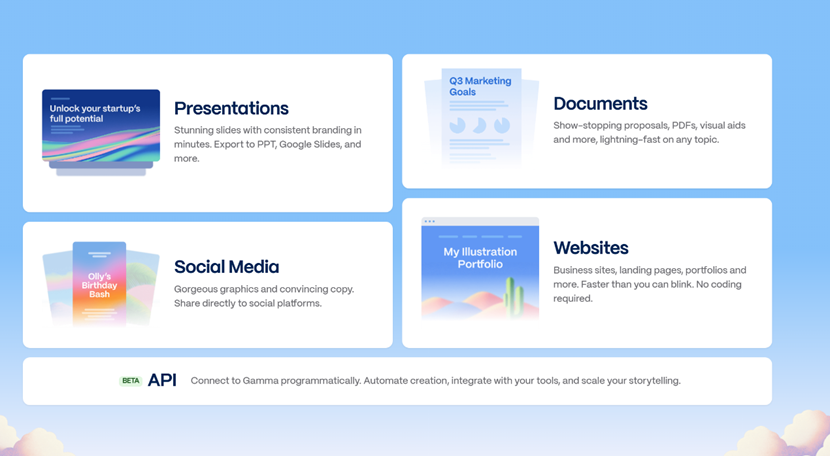
Gamma AI is an AI-powered content creation platform that allows you to create presentations, documents, and web pages without spending time adjusting layouts or formatting.
Instead of starting from a blank slide, you simply describe your idea, and Gamma automatically generates a polished draft that includes:
📝 Clear, structured headings
📐 Balanced page layouts
🖼️ Relevant visuals and illustrations
🎨 Professional design themes
This makes Gamma especially useful for anyone who needs to create polished content quickly.
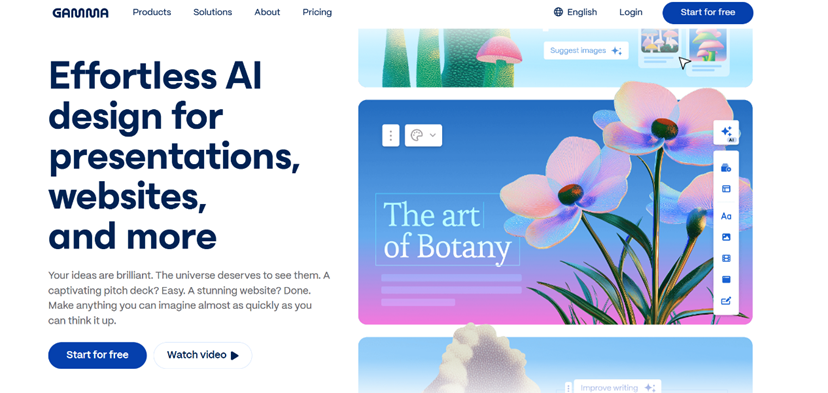
Core idea of Gamma AI:
Gamma prioritizes clarity of communication, allowing you to focus on your message rather than complex visual editing.
How Gamma AI Works
Creating content in Gamma follows a simple flow:
- Enter your topic or paste your outline
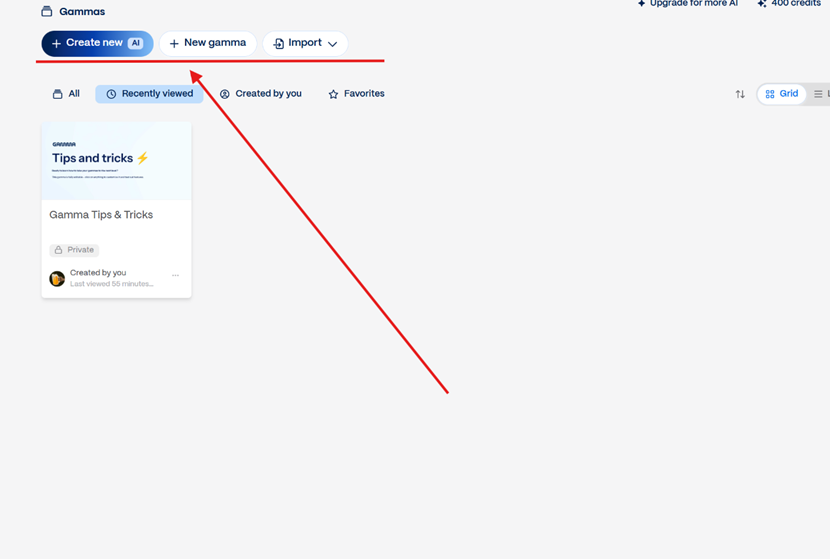
- Select a visual style or theme
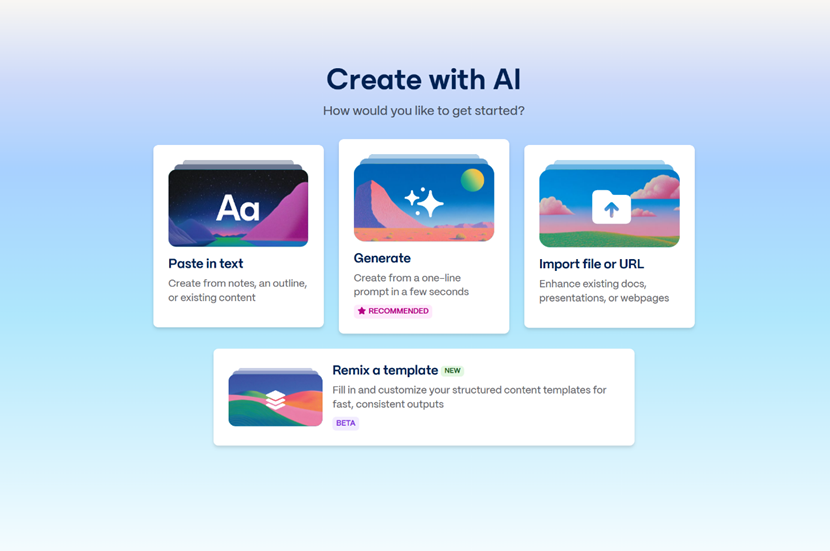
- Let AI draft slides/pages automatically
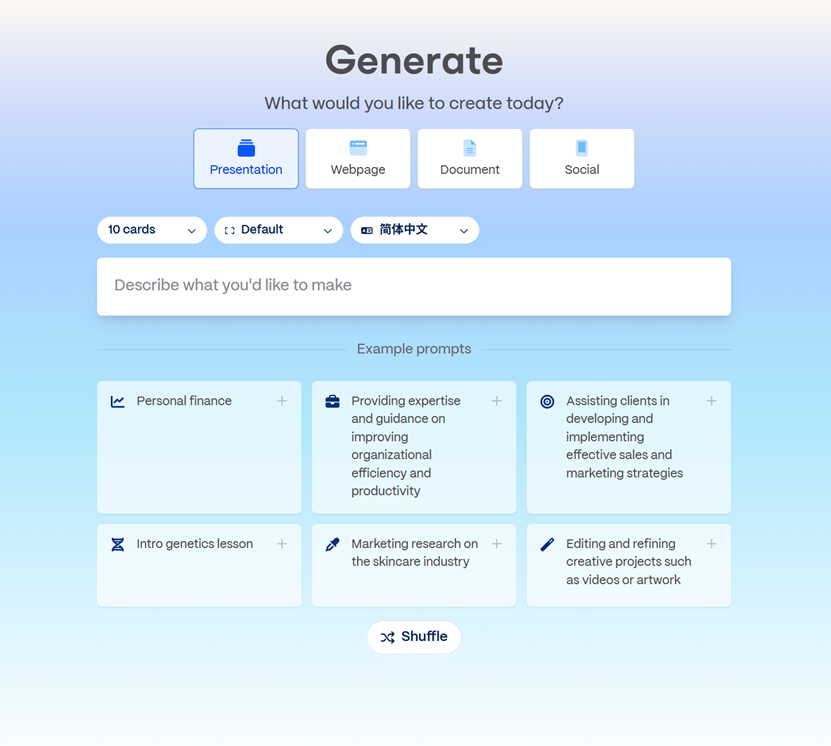
- Refine text or reorganize structure
- Share or export
Your content becomes available as a web-based presentation (like a living document), which you can easily share or present directly from any browser.
Key Features of Gamma AI
| Feature | Description |
| AI Presentation Generator | Automatically creates full slide decks with headlines, key points, and illustrations based on your input. |
| Document Mode | Pages unfold in an accordion-style layout, combining structure and narrative clarity. |
| Website / Page Builder | Build landing pages or portfolios with drag-and-drop content blocks—no coding required. |
| Smart Themes & Design Settings | Applies color palettes, typography, and responsive layouts automatically. Brand logo and colors can be uploaded to instantly brand content. |
| Export & Sharing Options | Share via link, present live in a browser, or export to PowerPoint, PDF, or Google Slides. |
Pros and Cons of Gamma AI
Pros
✅ Saves significant time on design and layout
✅ Very easy to use — no design skills required
✅ Supports presentations, documents, and web pages
✅ Clean, modern visual style
Cons
❌ PPT export formatting may need minor adjustments
❌ Free plan has limited AI generation credits
❌ Less customizable than tools like Keynote or Figma for advanced design
❌ Not suitable for complex interactive websites
❌ Does not support AI chat or conversational features
Gamma AI Pricing
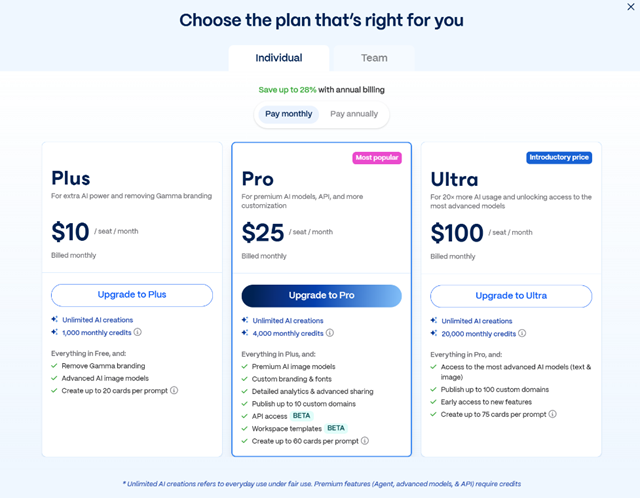
Gamma AI provides a free plan that’s surprisingly generous, along with paid plans for users who need extra features and higher usage limits.
| Plan | Price | Features |
| Free | $0 | Create unlimited decks, basic AI writing, and standard analytics |
| Plus | $10/month | Additional AI credits, access to version history, and priority support |
| Pro | $25/month | More AI credits, advanced version history, priority support |
| Team | $20/month | Team collaboration tools, shared workspace, and role management |
| Enterprise | $40/month | Single Sign-On (SSO), advanced permissions, custom integrations |
Who Should Use Each Plan?
Free Plan
The Free plan is perfect for individuals or small teams testing out Gamma.
Pro Plan
Pro is designed for regular users who want more AI power and flexibility.
Team & Enterprise Plans
Team and Enterprise plans suit organizations that need collaboration, security, and advanced admin tools.
Gamma AI vs Canva vs FriendoChat
| Platform | Strength | Best Use |
| Gamma AI | Automatic structure + clear communication | Business decks & proposals |
| Canva | Visual creativity & graphic design | Marketing visuals & branding |
| FriendoChat | ✅ AI character chat & roleplay | Virtual companions, AI conversations, interactive roleplay |
Summary:
Choose Gamma: If clarity & speed for presentations is your priority
Choose Canva: If you need advanced visual design for marketing or branding
Choose FriendoChat: If you want interactive AI chat, roleplay experiences, or virtual companions.
FriendoChat is ideal for users looking for personalized conversations or entertainment through AI characters.

Conclusion: Boost Productivity and Creativity
Gamma AI helps you quickly create polished presentations, documents, and web pages, saving time and letting you focus on your message. Once your content is ready, FriendoChat allows you to engage with AI characters, brainstorm, or use the Work Assistant to refine ideas and collaborate interactively. Together, they create a seamless workflow that combines efficient content creation with intelligent AI interaction.


